ChatGPT, Nano Banana or Kling? Which AI to use for your product photos
Each AI model is good at something different: one at textures, another at lettering, another at video. What each one does and why in Curva you don’t have to choose: we do it for you based on what you want to produce.
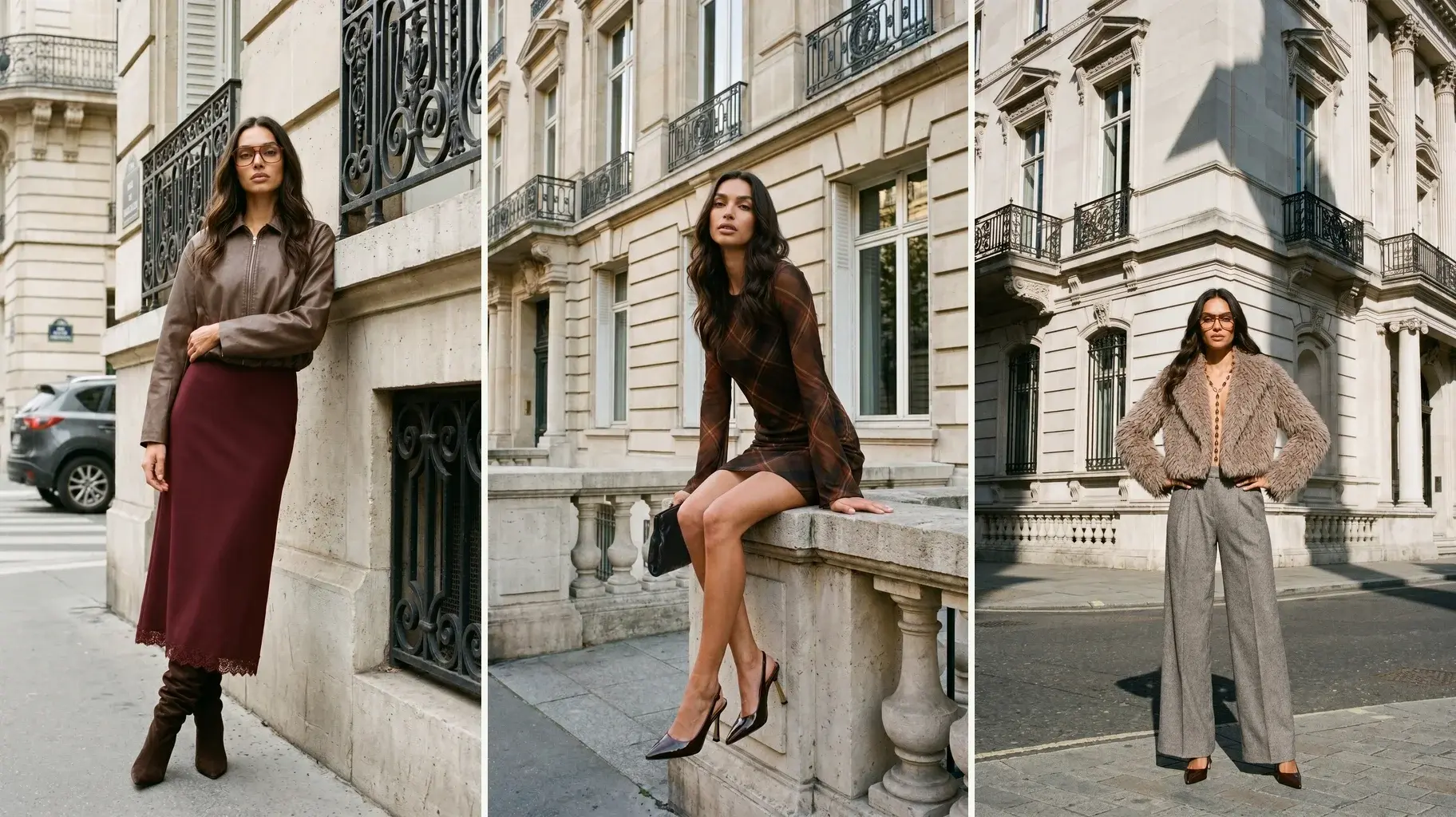
You already pay for ChatGPT, you have Gemini on your phone and every week someone sends you a video made with Kling. The question comes up on its own: of all these artificial intelligences, which one should I use for my product photos?
The short answer is that it depends on what you want to do. Each model is good at something different and none is the best at everything. The even shorter answer: in Curva you don’t have to choose. They’re all inside, and we pick the right one for each case.
There’s no best model, there’s a best model for each thing
Each model was trained differently, and it shows. One nails the shine of a leather jacket but warps the lettering of a print. Another writes a flawless “20% OFF” but leaves the fabric looking like plastic. And the video models are another world.
Try it: ask any of them for a T-shirt with a printed phrase and a leather jacket in the same batch. Most likely one comes out right and the other doesn’t. If you use a single one for everything, you lose somewhere.
What each one does well
Nano Banana 2
The new version of the famous Nano Banana, Google’s image generator inside Gemini. It’s very good at what makes a garment look real: the fabric’s texture, the shine of satin or leather, how a dress falls, the light. It’s also fast and affordable, ideal for large catalogs. Where it falls short is lettering: if the garment has printed text, it can warp it.
Nano Banana Pro
Google’s most powerful version. It has everything Nano Banana 2 does and adds crisp lettering, more fidelity to the model’s face and 4K resolution. It’s slower and more expensive, so it’s worth it for pieces where quality matters most: the campaign’s hero photo, a garment with printed text, an image for print.
GPT Image 2
The image model from OpenAI, the company behind ChatGPT. Its strength is precision: it writes clean text inside the image, respects the composition you ask for and retouches one part of the photo without touching the rest. It’s the right one for an ad with a price or promo, a product grid or a specific correction.
Kling 3.0
One of the most widely used video models. It takes a photo and sets it in motion: the model walks, turns, the fabric moves. It makes videos of up to 15 seconds, also in 4K, for reels, stories and ads.
Seedance 2.5
The video model from ByteDance, TikTok’s parent company. It builds the video from several reference photos at once (the model, the garment, the place) and brings them together in a single scene.
Topaz
It doesn’t invent anything: it enlarges a photo without redrawing it. It’s for taking an image to high resolution, for the web or for print, without changing the garment.
All together
| Model | What it’s good at | When we use it |
|---|---|---|
| Nano Banana 2 | Textures, shine, fabric drape; fast and affordable | Product pages and campaign photos, large catalogs |
| Nano Banana Pro | The same, plus crisp lettering, the model’s face and 4K | Hero pieces and garments with text |
| GPT Image 2 | Clean text, exact composition, targeted retouching | Ads with a price or promo, grids, corrections |
| Kling 3.0 | Video from a photo, up to 4K | Reels, stories and ads in motion |
| Seedance 2.5 | Video that combines several references | Scenes with the model, the garment and the place |
| Topaz | Enlarging a photo without changing it | High resolution for web or print |
What about Midjourney? And Claude?
Midjourney makes images with lots of art direction and is great for putting together a moodboard, but it isn’t built to copy a specific garment. Claude, Anthropic’s assistant, doesn’t generate images at all: it understands photos and writes about them. It can help you with product descriptions, not with the photos.
The problem with using them separately
Even if you know which one fits each thing, using them on your own has a cost. It’s several subscriptions, several tools to learn and, above all, every request starts from scratch: the model knows nothing about your brand.
That’s where the problems you see in the store come from. The AI redraws your garment on every request, and sometimes the print comes out smaller or a button goes missing. The model’s face changes from one photo to the next, the light comes from another side and the background isn’t the same gray. OpenAI itself warns in its guide that its model can struggle to keep a character or a brand’s elements consistent across images. And if on top of that you switch models depending on the garment, each one adds its own touch and the grid looks like three different brands.
A pretty photo makes you look good in a story. The catalog is what sells every day, and the catalog works when everything matches.
How Curva solves it
- Every model in one place. One account, no separate subscriptions and no new tools to learn.
- We pick the model for you. You say what you want to make (the product page photo, the campaign, the promo ad, the reel) and Curva uses the right one based on the type of piece and the garment. If it has lettering, one that writes well; if it’s leather or satin, one that handles shine and texture.
- Your style rules, whichever model is working. Your brand’s model, light, backgrounds and framing are defined once and always applied. That’s why the collection looks like a single brand even though several models work underneath.
- It starts from your garment. It uses the photos you already take when stock arrives (on a mannequin, on a hanger or flat), and the garment that comes out is the one in your warehouse.
- When a better model comes out, we add it. We test them with real clothes and, if one performs better for some case, it goes in. You don’t change a thing.
We explain how it works under the hood in AI models for clothing, and what to look at before choosing a platform in the 5 criteria for choosing one.
An example: a collection from start to finish
Say you upload the fall collection, forty garments. Underneath, the work is split like this:
- Plain T-shirts and pants for the product page go with Nano Banana 2: good texture, fast and affordable for volume.
- The leather jacket needs shine and texture, so it goes with Nano Banana 2 or the Pro version.
- The sweatshirt with the phrase on the chest needs perfect lettering: Nano Banana Pro or GPT Image 2.
- The launch ad with “20% OFF” goes with GPT Image 2, which writes the text cleanly.
- The campaign reel is made with Kling or Seedance, depending on the scene.
You don’t see any of this. You see your photos and your videos, with the same model and the same light, ready to publish.
What we get asked the most
Do I need to know which model to use? No. You choose what you want to produce and Curva chooses the model.
Do I have to pay for ChatGPT, Gemini or Kling separately? No. The models we use are inside Curva.
What happens when a new model comes out? We test it with real clothes and, if it’s better for some case, we add it without you having to do anything.
So should I stop using ChatGPT? Not at all. For ideas and copy it’s still great. Whatever goes to your store, produce it in Curva.
What it looks like with Curva
Curva is a platform your own team runs, with the best image and video models inside. You upload the photos you already have of your garments, define your brand’s style once and produce product pages, lookbooks, campaigns and ads ready to publish. Which model works on each piece is up to us.
If you want to see what comes out with your clothes, start now and try it with your own garments.